
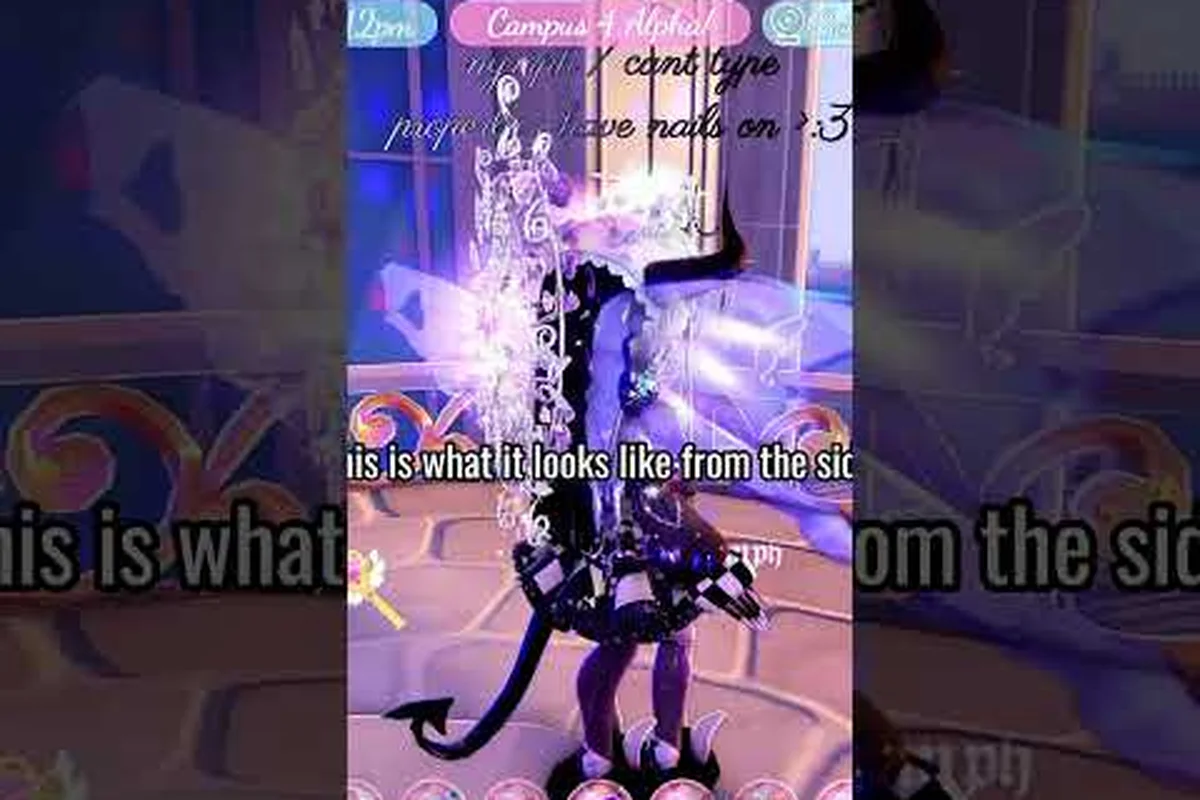
A Royale High aura is the visual signature that separates a polished pageant winner from a default avatar. Players who master glow layers, emote timing, and animation pairing consistently place higher on Sunset Island, according to community reports. This guide breaks down every aura source, combo strategy, and photoshoot technique so you can build a look that reads as intentional rather than random.
According to the aura customization video, the aura’s duration and visual intensity are tied to the player’s elemental alignment and current in-game season.
Understanding the Royale High Aura System
The Royale High aura system is not a single toggle but a layered stack of visual effects that follow your avatar. Community wiki documentation identifies auras as one of several customization categories alongside hairstyles, wings, and walk animations. When players talk about a Royale High aura, they usually mean the soft particle glow, color wash, or animated ring that surrounds the character model.
Auras in Royale High come from multiple item families. Some are attached to halos, which float above the head and emit ambient light. Others are tied to elemental accessories like fire wings or crystal parasols. The key distinction is that a true aura effect modifies the space around the avatar, while a glow effect typically modifies the avatar surface itself.
The following table compares the main aura sources and their visual behavior, based on community testing across multiple updates: halo variants, elemental wings, crystal accessories, and walk animation auras each occupy a distinct rendering layer, so a Royale High aura that reads as a single cohesive glow in the dressing room mirror actually resolves into four independently stacked effects once the avatar enters Sunset Island stage lighting. Community testers have documented that halo radial glows render above wing particle trails, while crystal accessory shimmers multiply against nearby light sources rather than simply layering on top of them, which explains why a dim corridor screenshot can look entirely different from the same combo photographed under the pageant spotlight rig.
| Aura Source | Visual Effect | Stacking Behavior | Best Use Case |
|---|---|---|---|
| Halo variants | Soft radial glow above head | Stacks with wing glows | Pageant centerpiece |
| Elemental wings | Colored particle trail | Overrides base wing glow | Themed rounds |
| Crystal accessories | Reflective shimmer | Multiplies with light sources | Photoshoot close-ups |
| Walk animation auras | Footstep sparkles | Independent layer | Runway walks |
Understanding these layers matters because a Royale High aura that looks cluttered in the dorm hallway can photograph beautifully under Sunset Island stage lighting. Players who test their combos in the photo mode before entering a pageant report fewer mid-round outfit changes. The photo mode lets you preview how stacked glows interact with the camera angle, which is something the dressing room mirror does not show accurately.
Royale High Glow: Layering Light Without Washing Out
A Royale High glow is the surface-level brightness that makes colors pop, while an aura is the surrounding atmosphere. The most common mistake new players make is stacking three or four glow sources until the avatar becomes a white silhouette. Community reports suggest that two glow layers plus one aura layer is the sweet spot for most pageant themes.
The glow system responds to color theory. Warm glows like gold and rose amplify skin tones, while cool glows like ice blue and lavender make darker outfits read as more mysterious. Because the game renders glow additively, overlapping complementary colors can create a muddy gray band around the avatar, which is why color selection matters more than glow intensity.
Experienced players treat this sequence as a diagnostic tool rather than a rigid formula: each layer is added one at a time, and the avatar is checked in the Campus 3 dorm lighting before the next glow is applied. A common failure case is stacking the themed glow at full intensity on top of a neutral base, which pushes the Royale High aura into overexposure and erases fabric texture details on skirts like the Whimsy Witch or Gothicutie sets. Testing at 50% opacity on the themed layer first, then increasing only if the silhouette still reads clearly against the Divinia Park fountain backdrop, prevents the washed-out effect that disqualifies otherwise strong pageant entries.
-
Start with a neutral base glow at low intensity to unify the outfit palette
-
Add one themed glow that matches the pageant category, such as emerald for a nature round
-
Finish with a halo or aura effect that introduces a contrasting accent color
-
Test the stack in photo mode under both bright and dim lighting presets
-
Remove the neutral base glow if the avatar edges start to blur
The difference between a successful Royale High glow stack and a failed one often comes down to edge definition. When the glow intensity exceeds the outfit contrast, the avatar loses its silhouette against bright backgrounds. Players who compete in high-level pageants frequently reduce glow opacity by one step before the final walk, because the stage lighting already adds ambient brightness.
Royale High Animation: Walk Cycles and Idle Poses
Royale High animation choices determine how your avatar moves between poses, and they interact directly with aura visibility. A slow, elegant walk cycle keeps the aura centered on the avatar, while a bouncy or fast animation causes the particle trail to lag behind. This is why pageant veterans match their walk animation to their aura type rather than picking animations randomly.
The walk animation system in Royale High includes multiple unlockable cycles, each with a distinct rhythm and footstep pattern. Some cycles emphasize floating, which pairs naturally with ethereal auras. Others use sharp, confident strides that work better with fire or lightning effects. The animation you choose also affects how the camera frames your avatar during the runway segment of Sunset Island.
The table below outlines common animation pairings that community members have documented for specific aura styles: these combinations emerged from repeated Sunset Island pageant runs, where players tested how each walk cycle's footstep rhythm and idle pose framing either amplified or muted a given aura's particle trail. For example, a Celestial glow aura paired with a floating drift cycle keeps the star-like particles clustered around the avatar's torso, whereas the same aura on a sharp, confident stride scatters the glow behind the avatar and reads as a smeared afterimage rather than an intentional halo. Because Royale High does not expose aura-animation interaction stats in the dress-up menu, these pairings are the closest thing to a community-verified reference for pageant loadouts.
| Aura Style | Recommended Walk Cycle | Idle Pose Suggestion | Pageant Theme Fit |
|---|---|---|---|
| Celestial glow | Floating drift | Arms slightly raised | Fantasy, dream |
| Fire particle | Confident stride | Hand on hip | Power, royalty |
| Ice shimmer | Gliding step | Crossed arms | Winter, elegant |
| Nature sparkle | Light skip | Open palm gesture | Garden, spring |
When you combine a Royale High animation with an aura, the goal is to make the movement feel like it generates the effect. An ice shimmer aura reads as intentional when the avatar glides, but the same aura looks disconnected during a bouncing run cycle. Players who understand this relationship spend less time adjusting their outfit mid-pageant and more time focusing on pose timing.
For a deeper breakdown of how walk cycles affect camera framing and photo mode results, the walk animation and photo mode guide explains the technical side of movement previews. That guide covers idle animation previews and how to test outfit changes before committing diamonds to a new cycle.
Royale High Emotes: Timing Effects for Maximum Impact
Royale High emotes are the punctuation marks of a pageant performance. A well-timed emote can trigger a burst of particles that draws the judges' eyes, while a mistimed one interrupts the aura flow and breaks the visual narrative. The emote wheel in Royale High includes dozens of options, but only a handful synergize with aura effects.
The key to emote and aura synergy is understanding trigger timing. Some emotes fire their visual effect instantly, while others have a wind-up animation before the payoff. Aura particles that pulse on a loop will sync with instant-trigger emotes more cleanly than with delayed ones. Community testing shows that emotes with a spin or twirl component tend to scatter aura particles in a wider radius, which can either enhance or dilute the effect depending on the stage size.
The payoff frame is the single frame where the emote's particle burst, sound cue, and aura pulse all intersect — and missing it by even a few frames leaves the combo looking like two unrelated effects stacked on top of each other. For example, the "Twirl" emote in Royale High fires its sparkle burst on frame 14 of its animation, while auras like "Glimmering Light" pulse every 0.8 seconds; aligning frame 14 with that pulse peak requires triggering the emote roughly 0.3 seconds before the aura's glow reaches full brightness. This is why players who test their combos in the dorm hallway first — where the camera angle and lighting are consistent — consistently land cleaner pageant shots than those who improvise on stage.
-
Select an aura with a predictable pulse interval rather than a random particle burst
-
Preview the emote in photo mode to identify the exact frame where the visual payoff occurs
-
Time the emote trigger so the payoff lands on the aura pulse peak
-
Practice the combo in the dorm hallway before entering a live pageant
-
Record a short clip to review whether the camera angle captures both effects
The Royale High emote system also includes idle emotes that play automatically when the avatar stands still. These are often overlooked but can add subtle life to a photoshoot. An idle emote that gently sways the avatar keeps the aura moving, which prevents the glow from looking frozen in still images.
Building a Royale High Portfolio That Shows Off Your Aura
A Royale High portfolio is the collection of saved outfits, photos, and preset looks that represent your customization range. Pageant judges and trading partners often review portfolios before making decisions, so a strong portfolio needs to demonstrate aura variety rather than repeating the same glow stack across every slot.
The portfolio system encourages players to save complete looks, including the aura, animation, and emote loadout. This is different from the dressing room, which only saves clothing and accessories. When you save a portfolio entry, the game stores the full customization state, which means you can swap between a celestial look and a fire look without manually rebuilding the aura stack.
The following table shows a sample portfolio structure that covers the most common pageant themes, but you should treat it as a starting template rather than a fixed formula. Each slot pairs one aura layer with a matching animation set and emote loadout because judges score visual cohesion as heavily as the glow itself — a celestial aura stacked with a chaotic dance emote reads as unfocused, while the same aura with a floating drift animation and twirl emote signals intentional styling. When building your own portfolio, consider which pageant categories appear most frequently in your server rotation and reserve at least one slot for a flex theme you can rebuild between rounds.
| Portfolio Slot | Aura Theme | Animation Set | Emote Loadout | Ideal Pageant |
|---|---|---|---|---|
| Slot 1 | Celestial glow | Floating drift | Twirl, bow | Fantasy, dream |
| Slot 2 | Fire particle | Confident stride | Snap, point | Power, royalty |
| Slot 3 | Ice shimmer | Gliding step | Shiver, wave | Winter, elegant |
| Slot 4 | Nature sparkle | Light skip | Bloom, clap | Garden, spring |
Building a Royale High portfolio with this level of variety takes time, but it pays off when a pageant theme drops and you can load a complete look in seconds. Players who maintain at least four themed slots report faster round preparation and fewer last-minute diamond purchases for emergency accessories.
Royale High Makeover: Resetting Your Aura Identity
A Royale High makeover is more than changing a hairstyle or dress color. It is a full reset of the avatar's visual identity, including the aura stack, animation set, and emote wheel. Players who feel stuck in a customization rut often benefit from stripping every layer and rebuilding from a single focal point.
The makeover process works best when you start with the aura rather than the outfit. Choose one aura effect that defines the mood you want, then build the outfit colors, glow layers, and animations around that anchor. This reverse approach prevents the common problem of an outfit that looks complete in the dressing room but falls apart when the aura particles clash with the fabric pattern.
Here is a makeover workflow that community members have shared for resetting an avatar's aura identity: the sequence matters because unequipping a glow layer without first removing the attached animation override can leave a ghost trail on the emote wheel, and several players have reported that a lingering "crystal pass" aura fragment keeps tinting new outfits until the portfolio slot is fully overwritten rather than edited in place.
-
Unequip all glow sources, auras, and animation overrides to create a blank canvas
-
Select one aura effect as the visual anchor for the new look
-
Choose outfit colors that sit adjacent to the aura color on the color wheel
-
Add glow layers only if the avatar edges remain defined against a bright background
-
Test the complete look in photo mode under three different lighting presets
-
Save the result as a new portfolio slot before making further adjustments
A Royale High makeover that respects the aura as the anchor tends to feel more cohesive than one that treats the aura as an afterthought. The difference shows up most clearly in close-up photos, where a mismatched glow creates a visible color seam between the avatar and the background.
Frequently Asked Questions
What is a Royale High aura and how do I get one?
A Royale High aura is a visual particle or glow effect that surrounds your avatar. You can obtain aura effects from halos, elemental wings, crystal accessories, and certain walk animation upgrades. Check the shop inventory and seasonal event rewards, because many aura sources rotate in and out of availability.
Can I stack multiple auras at the same time?
Yes, but stacking more than two aura sources usually creates visual clutter. The game renders aura effects additively, so overlapping colors can turn muddy. Community testing suggests using one aura layer plus two glow layers as the maximum for clean pageant presentation.
Do emotes affect how my aura looks?
Emotes with spin or twirl components scatter aura particles in a wider radius, while instant-trigger emotes sync more cleanly with pulsing auras. Preview emotes in photo mode to see how the particle timing interacts with your specific aura before using them in a live pageant.
How do I save an aura setup for later use?
Use the portfolio system to save complete looks, including aura, animation, and emote loadouts. The dressing room only saves clothing and accessories, so portfolio slots are the only way to preserve a full aura stack for quick swapping between pageant themes.
Why does my aura look different in photos than in the game?
The photo mode camera applies different lighting presets than the dressing room mirror, which changes how glow intensity and particle trails render. Always test your aura stack in photo mode under bright and dim presets before finalizing a portfolio entry or entering a pageant.